
When Base44 publish says success but live is unchanged
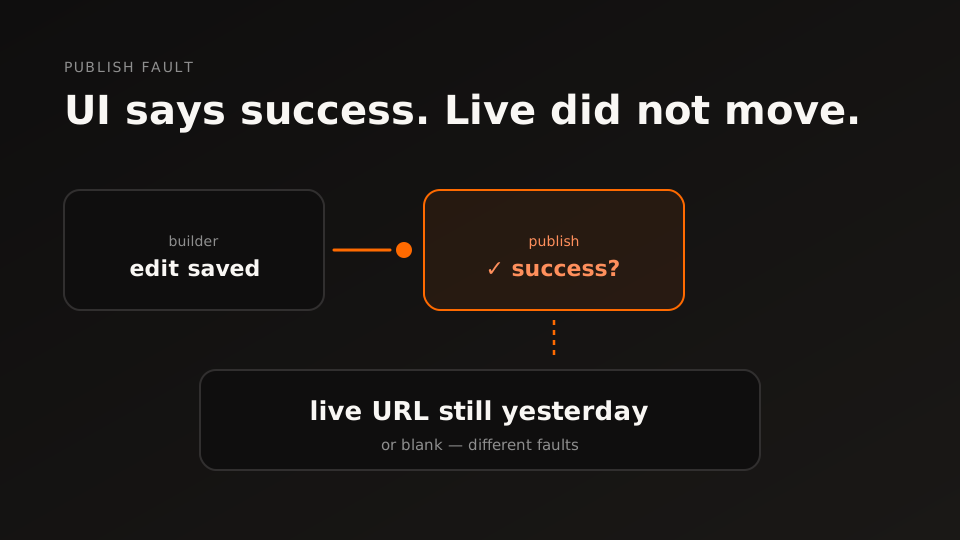
Classic stuck moment: the UI says publish succeeded, but the live URL still shows yesterday — or a blank screen. Those are different faults. Mixing them costs hours.
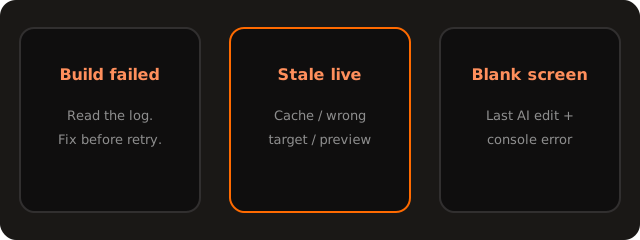
Split the fault
- Build failed — read the log; fix the error before another publish.
- Stale live — caching, wrong target, or a change that never left preview.
- Blank after edit — last AI change + console error; undo before redesigning.
Check platform status, capture the exact message, then walk/base44-not-working. We do not invent incident queues — if you want a human pass, use /start with type publish.
Questions & answers
Publish succeeded — why is live still yesterday’s version?
Success means the job reported OK, not that the URL you opened is the new build. Check cache, the exact published URL, and whether you edited a branch or preview that never targeted production.
How do I tell a failed build from a stale publish?
Failed builds leave an error in publish/logs. Stale live usually has a green publish with unchanged content. Blank screens after an AI edit are a third path — capture the console error.
Should I hit publish again immediately?
Only after you know what failed. Re-publishing the same broken state burns time. Copy the log line, note the last change, then retry once with a clear hypothesis.
Could this be a platform incident?
Yes. Check status.base44.com before deep debugging. If Hosting is degraded, wait.
What do you need for a publish diagnostic?
App URL, publish result (success/fail), any log snippet, whether preview matches live, and the last change. Open /start with type publish.